


Engineering leads
See which agents your team relies on, and what they get done.
- Which agents does my team use every day?
- Where are our AI tokens going?
- Which agent changed the payments code this week?
Phigon shows every AI coding agent on your company's computers: what it runs, what it changes and how much it uses. Set simple rules, and stop risky actions before they happen.
Team
Activity
EveryoneTried to delete a folder outside the project.
rm -rf ~/projects/customer-dataBlocked by your rule: Block deleting files outside the project.
| Agent | Used by | Status | Action |
|---|---|---|---|
| Claude Code | Priya ShahMacBook Pro | Running | |
| Cursor | Priya ShahMacBook Pro | Idle | |
| Codex | Arjun MehtaThinkPad X1 | Running | |
| GitHub Copilot | Arjun MehtaThinkPad X1 | Running | |
| Gemini CLI | Lena BrooksDell XPS 15 | Running | |
| OpenCode | Lena BrooksDell XPS 15 | Idle | |
| Codex | Build serverUbuntu 24.04 | Running | |
| Goose | Build serverUbuntu 24.04 | Running |
Rules check every agent action before it runs. Turn one off and watch the next matching action go through.
Tokens used by each agent
A live demo with sample data. Pick a person, open an action, or turn a rule off.
Tools like Claude Code, Codex and Cursor can run commands, change code and send data on their own. Most of it happens in a terminal on someone's laptop, and nobody else ever sees it.
A 14-minute walkthrough of the real app: sign in, connect your team's computers, watch Claude Code work live, set rules, and stop an agent.
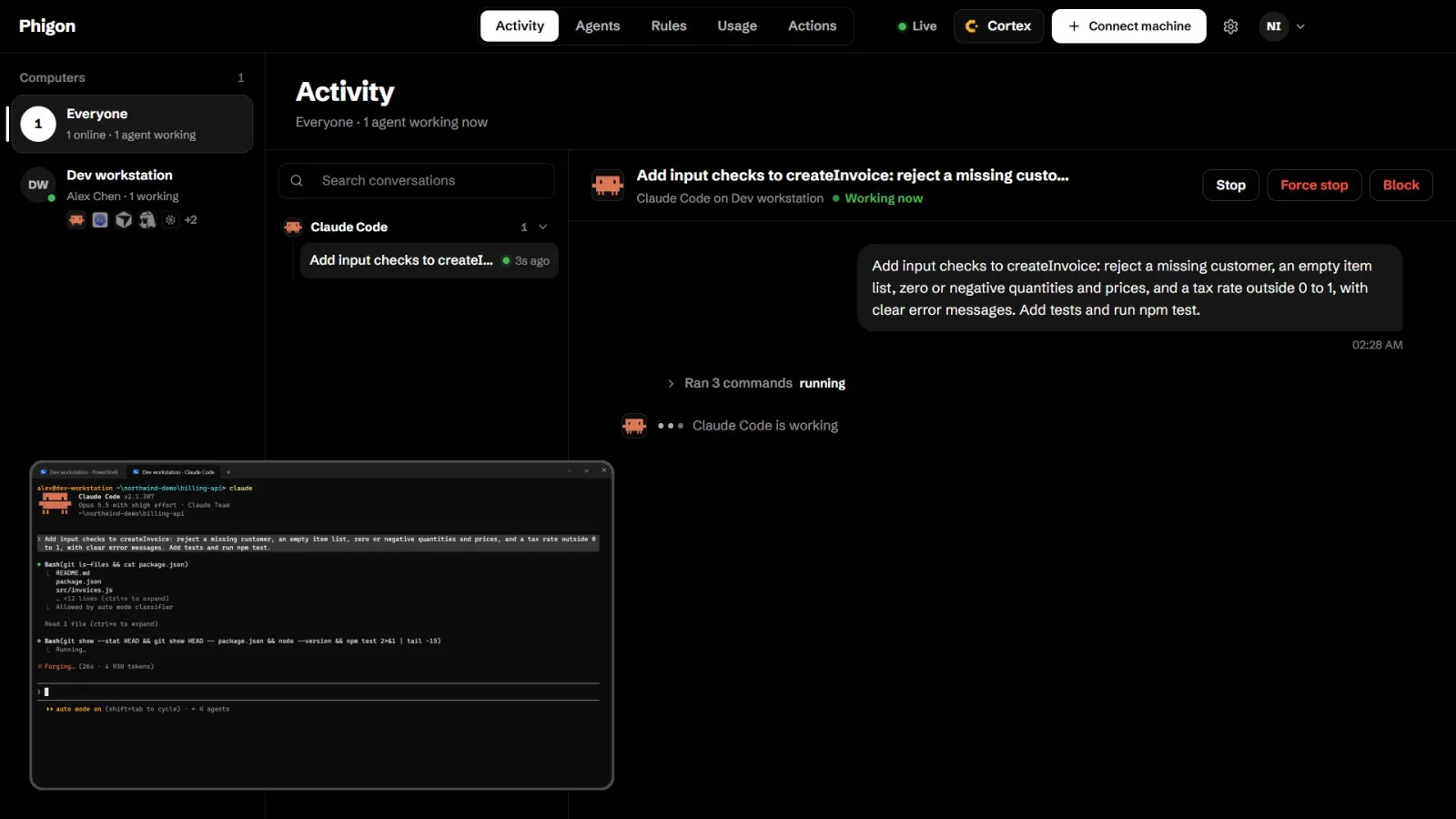
A normal workday, and one command that should never run. Phigon checks it on the computer, before it happens.
She is busy with other work, so she lets the agent carry on by itself.
The folder is outside the project, and it holds customer data. Nobody is watching the terminal.
Lena's agents run through Phigon, so the command is checked first. Your rule says agents may not delete files outside the project. The command matches, so it never runs.
The Phigon app shows who it was, which agent, which computer and the exact command. Allow it once, or stop the agent.
Paste your company's Phigon key, and choose where your data is kept: on that computer or in your company's PostgreSQL.
Install the observer, then run the pair command that Connect machine in the app gives you. It works in the office, at home or on mobile data.
npm install --global @phigon/observerThey see exactly what Phigon will share, and approve it. Nothing is collected before that. For many computers, your company can consent once with an enrollment code.
Which AI agents are running, on whose computer, and what they are doing right now.
Try it in the demoPrompts, replies, commands and file changes, from each agent's own records, on computers that share them.
Try it in the demoBlock a command, a file or a website, or have Phigon ask you first. Or describe it in your own words, and Phigon AI acts each time.
Try it in the demoStop a runaway agent, or every copy of it, on any computer. You get a receipt when it has stopped.
Try it in the demoConversations, steps and tokens per day, by computer and by model, so you know where your AI use goes.
Try it in the demoAsk Cortex "Who used Codex on the payments code this week?" and get an answer from the records.
See which agents your team relies on, and what they get done.
Stop risky actions before they run, and see every one that was tried.
Keep a clear record of what AI agents did, and who asked them to.
Anyone can read the code of the Phigon observer, the program that runs on each computer, so you can check exactly what it collects. It is published under the Apache 2.0 license, and every release is built in public with a signed record of where it came from.
npm install --global @phigon/observerA desktop app that shows you what the AI coding agents on your company's computers are doing, and lets you set rules and stop them.
Claude Code, Codex, Cursor, GitHub Copilot, Gemini CLI, OpenCode, Cline, Goose, Amp, OpenHands, Hermes, OpenClaw. It also finds Kiro, Zed, Factory Droid, Roo Code, Kilo Code, Aider, Amazon Q Developer CLI and Continue, and any agent you add yourself with one command.
Yes. A person who connects their own computer sees exactly what Phigon shares and agrees first. When your company enrolls its computers with one code, each person gets a notice when collection starts. Everyone sees a notice when Phigon stops an agent or runs a command on their computer.
By default, which agents run and what kind of work they do. With consent for full activity, Phigon also keeps prompts, replies, commands and file changes. Passwords and API keys are always removed first, on the computer.
Yes, on computers whose consent allows it. You can stop, force-stop or block an agent, or check the computer, from the app, and rules can block an action or wait for your answer before it runs.
Book a demo. We send you the Phigon app and your key, and connect your first computer with you.
The Phigon observer, the part that runs on your team's computers, is open source under the Apache 2.0 license. Read the code on GitHub. The Phigon app and server are not open source.
In your own database: on the computer that runs the Phigon app, or in your company's PostgreSQL. Phigon's servers only check your key and keep none of your data.
No. Computers at home, in other offices or on mobile data connect through Phigon's relay, encrypted end to end. There are no ports to open.
The Phigon app runs on Windows 10 and 11, and the Mac version is coming soon. The part that runs on your team's computers works on Windows, Mac and Linux.


